Twin Desk
An AI receptionist that answers every call, day and night, in your clinic's own voice.
Only here: checks identity before revealing anything, books live into real free time, and turns every call into a transcript, a summary and a task.

Command Centre
by Success Software Solutions
Most practices run on a dozen apps that don't talk to each other. Command Centre connects them, and your team, so your whole practice runs as one.
The dental practice operating system
Your practice system keeps the chart and the money. Command Centre runs everything around it, and makes every app, every person and every record work as one.
What it is
A practice management system records what happened. A content system publishes what you write. Neither runs the day. Command Centre sits on top of both and does the running.
Your practice system stays the source of truth. Nothing is written back without a person confirming it.
So the question isn't "is this a better PMS?" It's "what if everything around the PMS worked together?"
One brain
Most practices run a dozen tools that never speak. In Command Centre each app plugs into one shared core, so something learned once is known everywhere, and a job started in one app finishes in another.
The shared core
what every app knows and uses
See the difference in one email
A mailing tool sends "Dear patient, it's time for your check-up." Command Centre writes to each person as if your best receptionist had their file open, because, in effect, it does.
Hi Olivia,
It's been 7 months since your last visit on 14 April, so you and Mia are both due for a check-up and clean.
Dr Sam, who looked after you last time, has these times free at Northside. Tap one to book it:
We're a preferred provider for your fund, so your check-up and clean may have no gap.
Booking for Mia too? Pick a time and add her on the next page.
Their name, and their family's
Olivia and her daughter Mia are linked, so one email covers the household.
From your practice system
How long it's really been
The date of the last visit, worked out per person, never a generic "it's been a while".
From the patient's practice-system facts
Their own dentist's real free times
Times follow your booking rules. Each is a one-tap link just for this patient: tapping it books the appointment, for them or anyone in their family.
From Practitioners, booking rules and the live diary copy
Their health fund
If you're a preferred provider for their fund, the email says so. If not, it says nothing.
From the patient's fund and your fund list
Your clinic, not stock photos
Each clinic's own photos and content, so the email looks like you.
From Settings, Clinics and the media library
One call, followed all the way
No one types anything twice. Each step hands its work to the next app, and to the next person, automatically.
The phone is answered, after hours
Twin DeskThe AI receptionist recognises the caller's number, checks her date of birth before discussing anything, and offers real free times with her own dentist.
The appointment is booked into the diary
Booking engineThe time is held so no one else can take it, written to your practice system, then read back to confirm. A confirmation text goes to the patient and a note goes on her file.
The team hears about it at the huddle
DonnaThe spoken morning briefing for each role mentions the new booking, the gaps still open and what's planned but not yet booked.
The dentist talks; the note writes itself
Said & DoneThe patient is already on the dentist's day sheet. The consultation is drafted in the dentist's own style, and nothing reaches the practice system until they approve it.
A referral and a lab case start themselves
ReferralsLab CasesThe referral is drafted from the approved note, signed with the dentist's provider number and sent by secure link. The crown goes to the lab as a tracked case.
Every follow-up lands on someone's list
Action CentreReception, the dentist and the practice manager each see only their part, with the patient's name on it. When the lab's invoice arrives, its fee matches itself to the case.
Six apps, one patient, zero re-typing. That is what a practice operating system does.
The suite
Each one is useful on its own. Together they share what they learn, which is where the real gains are.
Seeing, treating, booking and keeping patients
An AI receptionist that answers every call, day and night, in your clinic's own voice.
Only here: checks identity before revealing anything, books live into real free time, and turns every call into a transcript, a summary and a task.
Listens in the surgery and drafts the clinical note, the tasks and the letters.
Only here: writes in each dentist's own style, learns your practice's words, and never touches the practice system until the dentist confirms.
A form for every specialist, signed and sent the way they prefer.
Only here: AI drafts from the finished consultation note; signed with the dentist's provider number; sent by secure link, PDF or the specialist's own online form.
Send and request patient records and large files, like a CBCT scan, without fax or file-sharing sites.
Only here: consent kept as proof, every provider checks the notes first, and the recipient opens files with a one-time code.
Orthodontic clearance from request to signed certificate.
Only here: each request is matched to the patient and orthodontist and waits with the right person until a dentist takes it.
Recall conversations by text that book straight into the diary.
Only here: uses the same booking rules as the phone, so every channel offers the same right times.
A check-in the morning after each visit: how are you going?
Only here: the questions follow the treatment that was actually done, and an answer that needs a person becomes one task for reception, and for the treating dentist when it's urgent.
Running the practice: operations, stock, finance and communications
The front desk's worksheet, till count and day close.
Only here: checks the day against your practice system, the card terminals and the bank; reads receipt photos; handles deposits, vouchers and payment plans.
Checklists, instrument counts, maintenance and breakdowns.
Only here: signing in makes your checklists for the room you're in; the first person in owns each one; nothing is lost if they go home.
Reads every clinic inbox so nothing important waits.
Only here: sorts each email with AI in Australia and hands what matters to the right person, with approvals where you want a second check.
Every lab case from consult to fitted, with a portal for the lab.
Only here: the lab's own printed prescription sheet is filled in on screen and written back onto the original page. Cases start themselves from the dentist's note, and each lab invoice's fee finds its own case.
Stock, batches, purchasing and supplier invoices.
Only here: reads supplier invoices for you and sends the bill to Xero once.
Early-release super cases from first email to treatment.
Only here: trust funds can't be overspent, and every email to a fund is drafted for you.
A voice assistant and spoken morning huddle for each role.
Only here: answers from the whole day book: bookings, gaps, cancellations, and what's planned but not booked.
Your team: rostering, credentials, leave and onboarding
Clock in at a kiosk, publish rosters, approve leave and timesheets.
Only here: clocking only counts on the practice's own network, and approved timesheets come out ready for payroll.
How complete and on time each person's recorded work is.
Only here: plain numbers beside last period, drawn from every app. Never a score, never a ranking.
Guided onboarding for new clinicians.
Only here: a new starter's access, tasks and sign-offs, set up in one place.
Your brand in public, and campaigns that bring patients and keep them
Plan campaigns by what they are for, then check and schedule every piece across every channel.
Only here: checks advertising against AHPRA's rules before it goes out.
Designed emails, sent properly from each clinic.
Only here: each email is written for one patient: their family, their own dentist's free times to book with one tap, their fund, your photos. You see who opened, who looked at times but didn't book, and who booked, on each patient's file.
Every text your patients get, in one log.
Only here: it shows texts SSS sent and texts GoHighLevel sent, and why any text was held back: an opt-out, your texting hours, a daily limit.
Reviews, Google posts, listings and service pages.
Only here: every patient is asked for a review the same fair way, and replies are checked for privacy before they're posted.
Run your clinic's website from your phone.
Only here: your hours, prices and team come from the same data the rest of the suite uses.
See what your ads really return.
Only here: ads are paced to how much room your diary actually has.
Post to every network from one place.
Only here: each clinic's own pages, planned with the rest of your marketing.
AI images and video for every app.
Only here: made for dental practices, and kept in the one media library every app uses.
Built into every app
One list of work
Every app's tasks, in one Action Centre, with who has each job and where it's up to.
Approvals
Choose which steps need a second person. The same approval screen in every app.
Improve with AI
Under every notes box: clearer, shorter or friendlier, and nothing changes until you accept.
Secure links
Anything sent outside opens with a one-time emailed code, never a plain attachment.
One Directory
Every specialist, lab, GP and supplier kept once and used by every app.
Help on every screen
Step-by-step help with "Show me", and an assistant that answers from it.
Phone, iPad and desk
One app on every screen size, installable on the home screen.
Your words, learned
Your abbreviations and each dentist's style, picked up from finished work.
Take a photo
Beside every upload: snap the invoice, receipt or signed form with a phone or webcam.
One media library
Every photo, video and recording, kept once and used by email, social, web and the phones.
Any printed form
A lab sheet or referral form is read once, filled in on screen and sent back on its original page.
Safe by design
Patient information stays in Australia
AI that reads patient details runs on Australian servers, and never falls back to anywhere else.
We can't see your patients
SSS staff see your settings and team, not your records. An owner can allow more, for a set time, and every page opened is logged.
Your practice system stays in charge
Notes and bookings are only written after a person confirms them, and each write is checked.
Every look is logged
Viewing patient information, and every change to access or billing, is recorded.
Each clinic sees its own
Access is checked in the database itself, by clinic, role and app, not just on the screen.
Passwords and keys locked away
Connections to your other systems are stored in a vault and never shown again.
See it
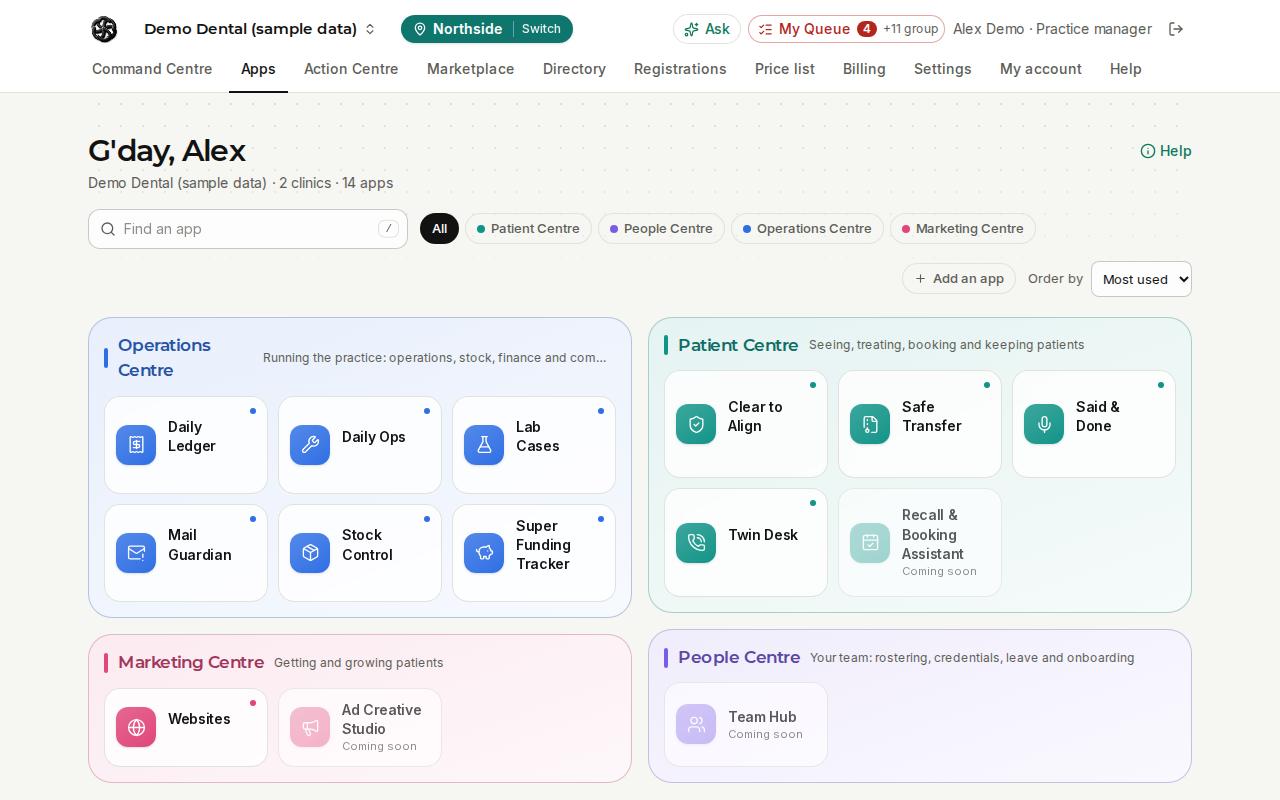
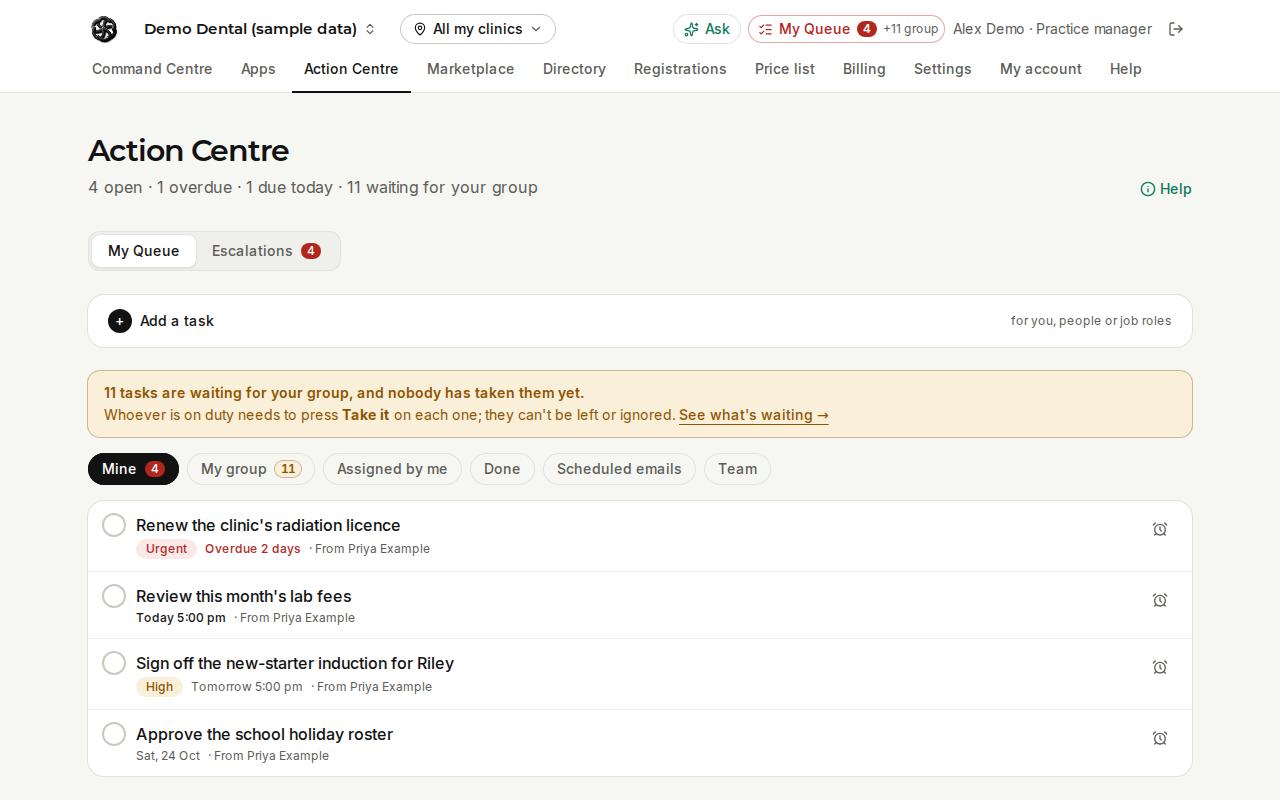
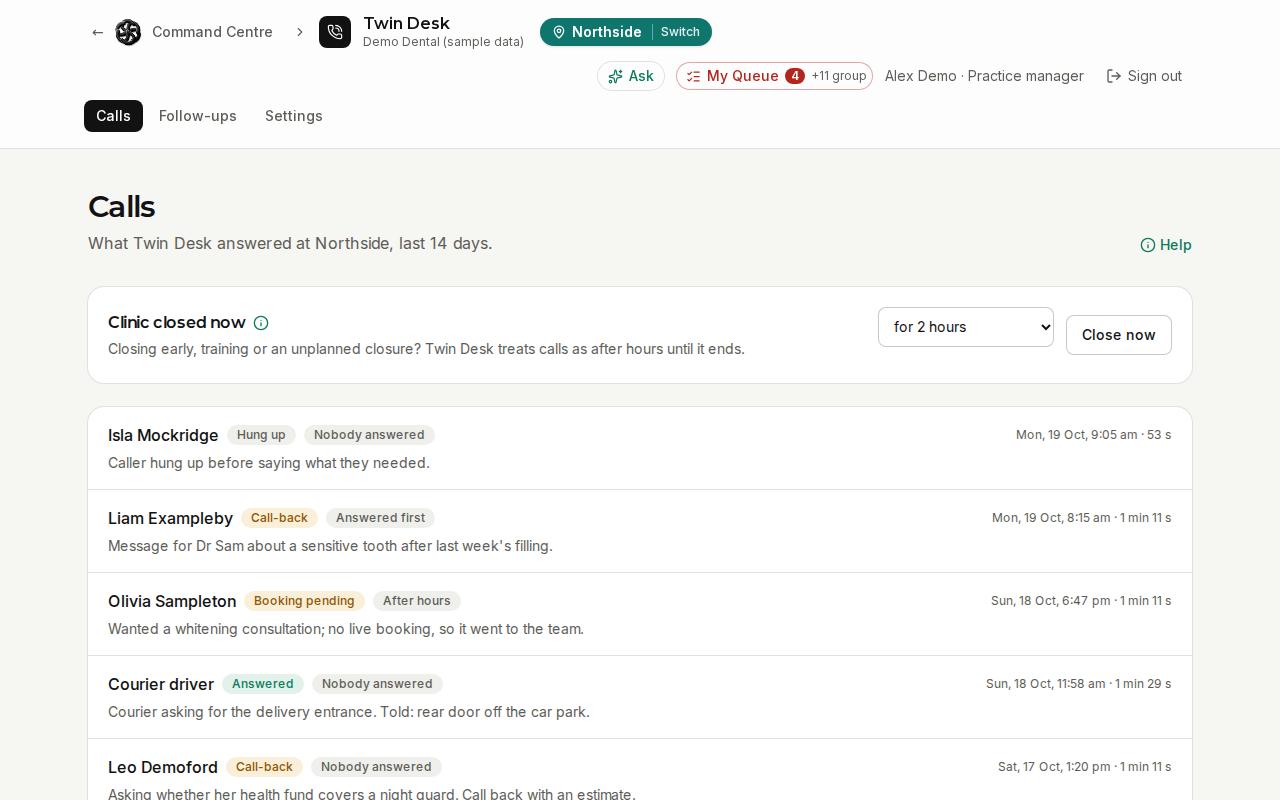
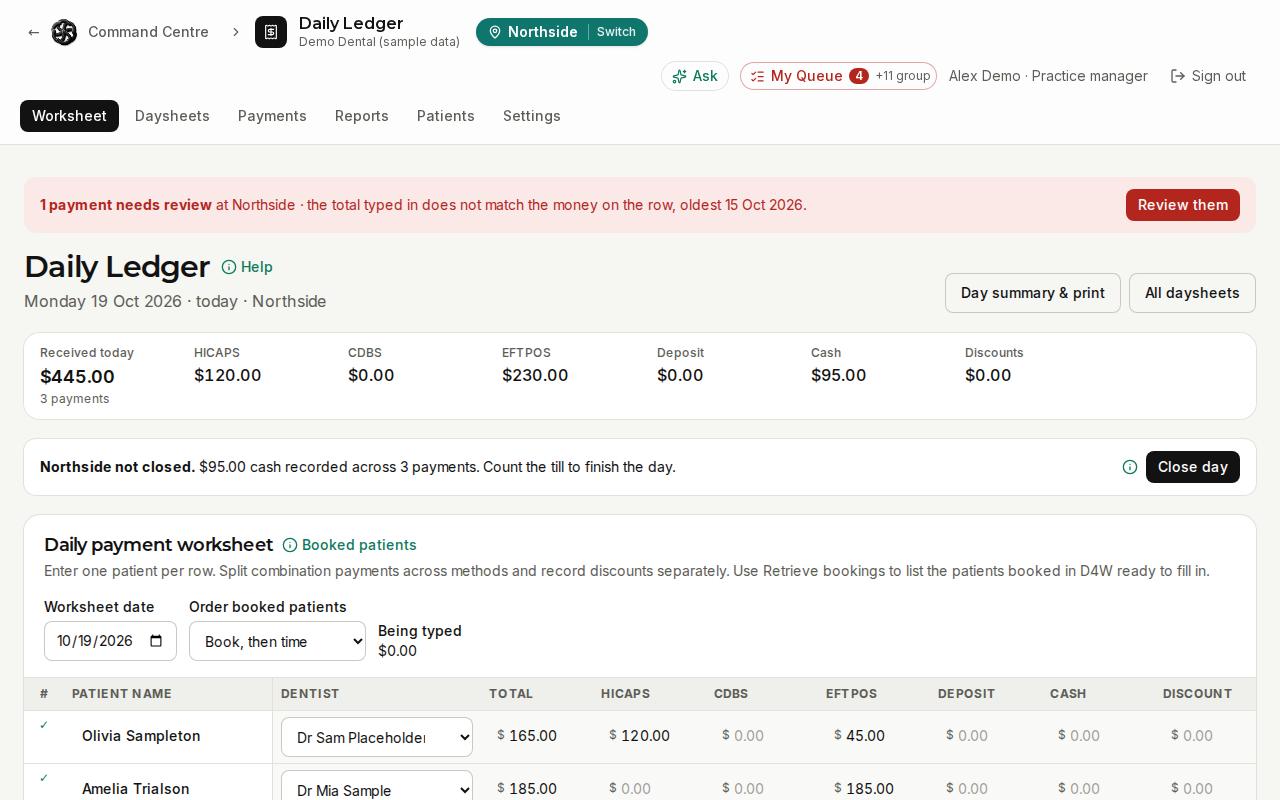
Screens show sample data from a demonstration practice.
We'll show you Command Centre with your own way of working in mind: your clinics, your team and your practice system.
Know a practice that would benefit from Command Centre? Refer them. Referral rewards coming soon.
Australian-hosted and secure Connects with your practice system Built for Australian dental practices